 Introducing Custom Theme Appearance
We’ve introduced Theme Appearance, a new feature that lets you personalize the look and feel of your SalesCaptain workspace based on your preferences.
You can choose from SalesCaptain’s predefined themes or create your own custom theme using your preferred colors.
How it works
Theme Appearance gives you two options:
-
SalesCaptain Themes — Choose from a collection of professionally designed color themes.
Custom Theme — Create your own theme by selecting a Primary and Secondary color.
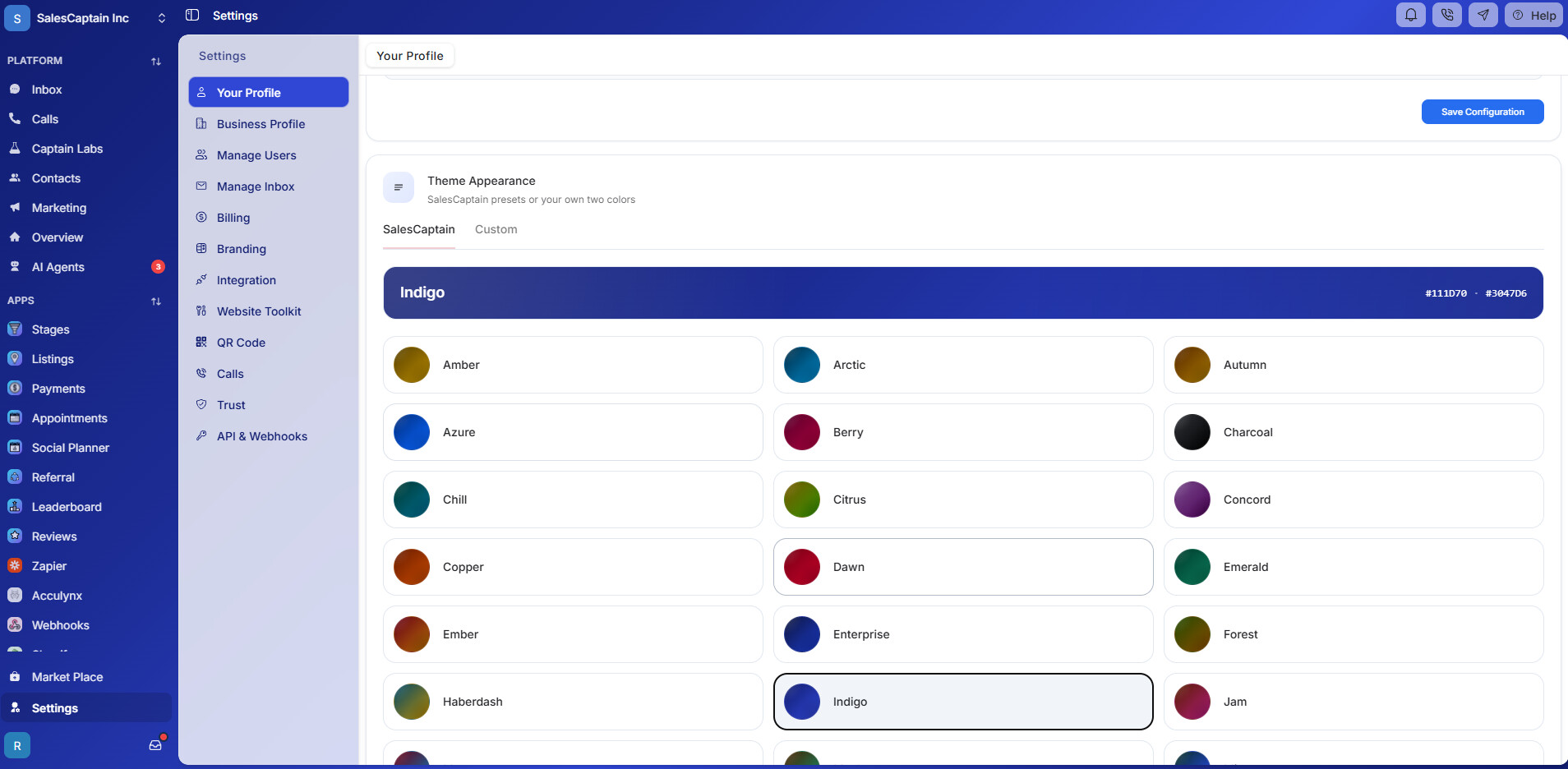
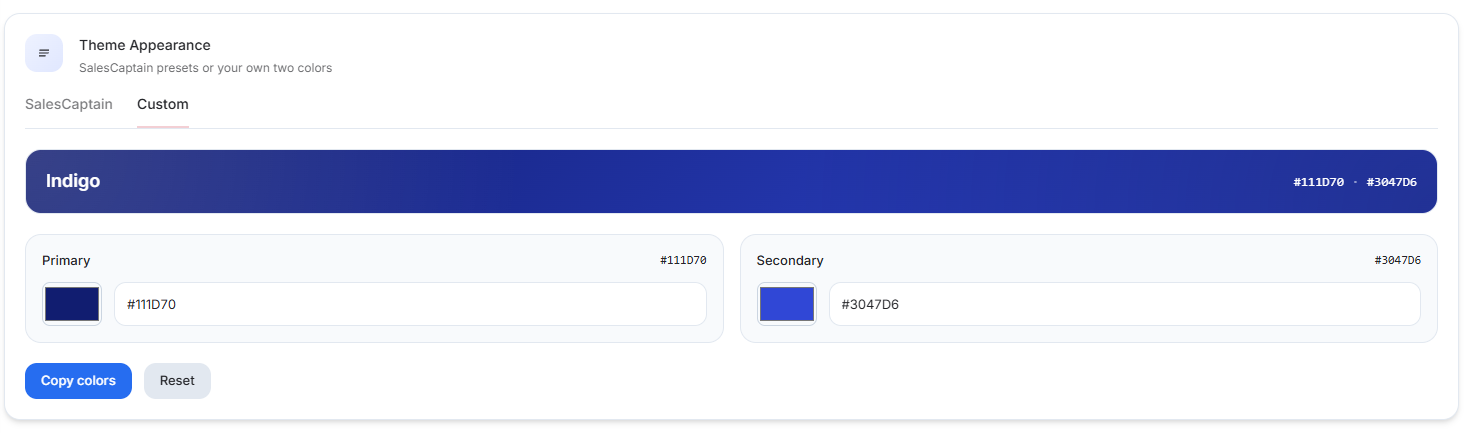
Your selected theme is applied across the SalesCaptain interface, giving your workspace a consistent look based on your preference.
How to change your theme
Go to:
Dashboard → Settings → Your Profile → Theme Appearance
From there, you can switch between the SalesCaptain and Custom tabs.
Choose a SalesCaptain theme
Under the SalesCaptain tab, you’ll find a variety of ready-to-use themes, including:
-
Amber
-
Arctic
-
Autumn
-
Azure
-
Berry
-
Charcoal
-
Chill
-
And more
Simply select the theme you want, and your workspace will use the selected color configuration.
Create your own custom theme
Want your workspace to match your brand?
Go to the Custom tab and choose your own:
-
Primary Color — The main color used throughout the interface.
-
Secondary Color — The supporting/accent color used alongside the primary color.
You can enter your colors using HEX values, such as:
Primary:
#111D70
Secondary:#3047D6
You can also use the color picker to select your preferred colors.
Example
A company wants its SalesCaptain workspace to match its existing brand colors.
They select Custom Theme and configure:
Primary:
#111D70
Secondary:#3047D6SalesCaptain then uses these colors throughout the workspace to provide a more personalized and branded experience.
Reset your custom theme
If you want to return to the default configuration, use the Reset option in the Custom Theme section.
Save your configuration
Once you’ve selected a predefined theme or configured your custom colors, click Save Configuration to apply your changes.
Note: Theme Appearance is user-specific, so each user can personalize their SalesCaptain experience according to their own preference without affecting other users in the account.