 Introducing Adjustable Page Sidebar
We’ve introduced a new Adjustable Page Sidebar that gives you faster access to the tools and sections you use most across SalesCaptain.
You can now open a dedicated sidebar from anywhere in the app and quickly switch between important pages without leaving your current workflow.
How it works
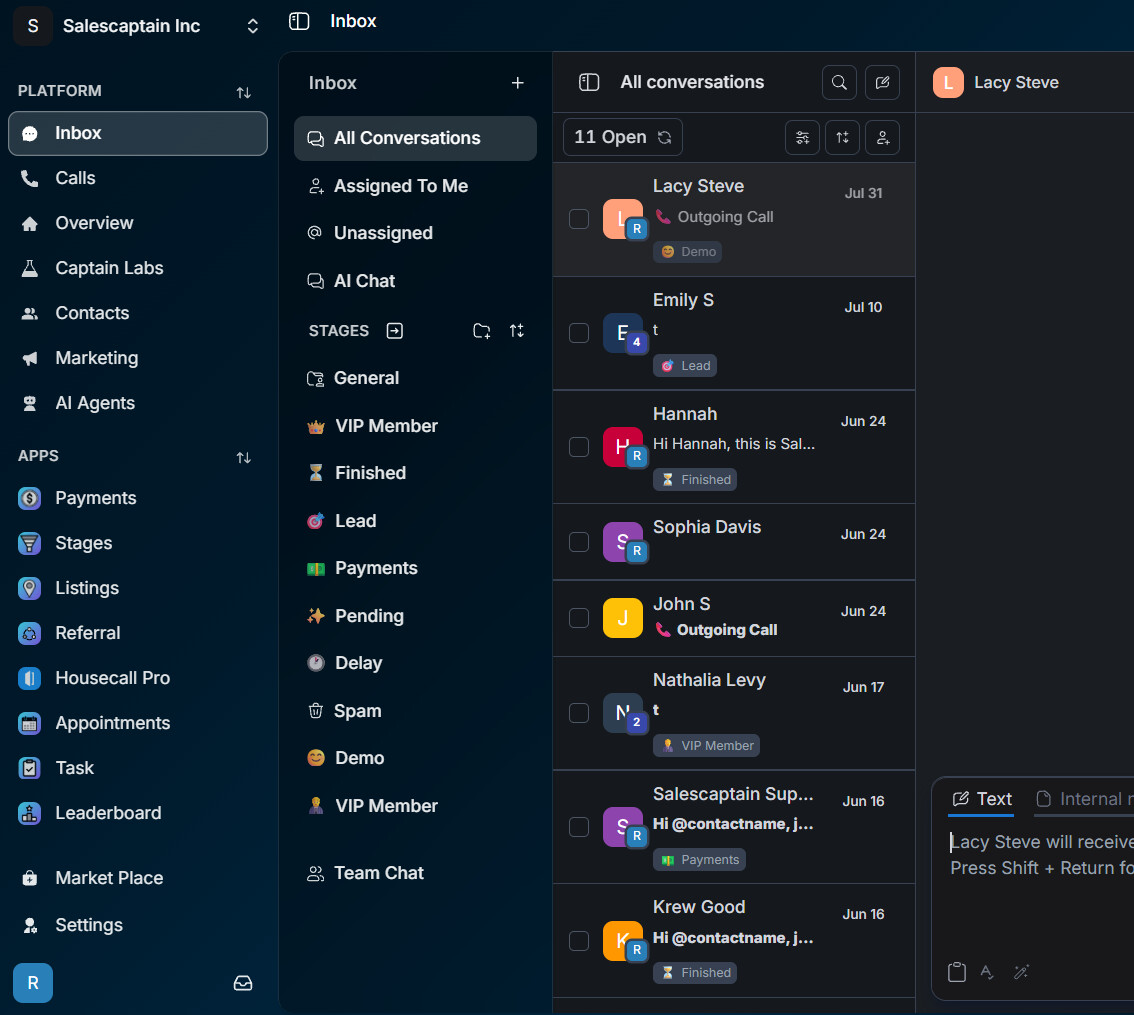
A new Sidebar button is available in the main application.
Click the button to open the sidebar and access different SalesCaptain modules from your current page.
The sidebar can provide quick access to areas such as:
-
 Inbox
Inbox -
 Reviews
 -
 Payments
 -
 Captain Labs
 -
 Campaigns
 -
 Tables
 -
 Contacts
 -
 Appointments
 -
 AI Agents
 -
And more
→
Access your pages without losing your workflow
The sidebar is designed to make navigation faster while keeping your current work accessible.
For example:
You’re working inside a Campaign and need to quickly check a customer conversation.
Open the sidebar, select Inbox, and access your conversations without having to manually navigate through the main application menu.
You can then return to your previous page and continue where you left off.
Adjustable sidebar
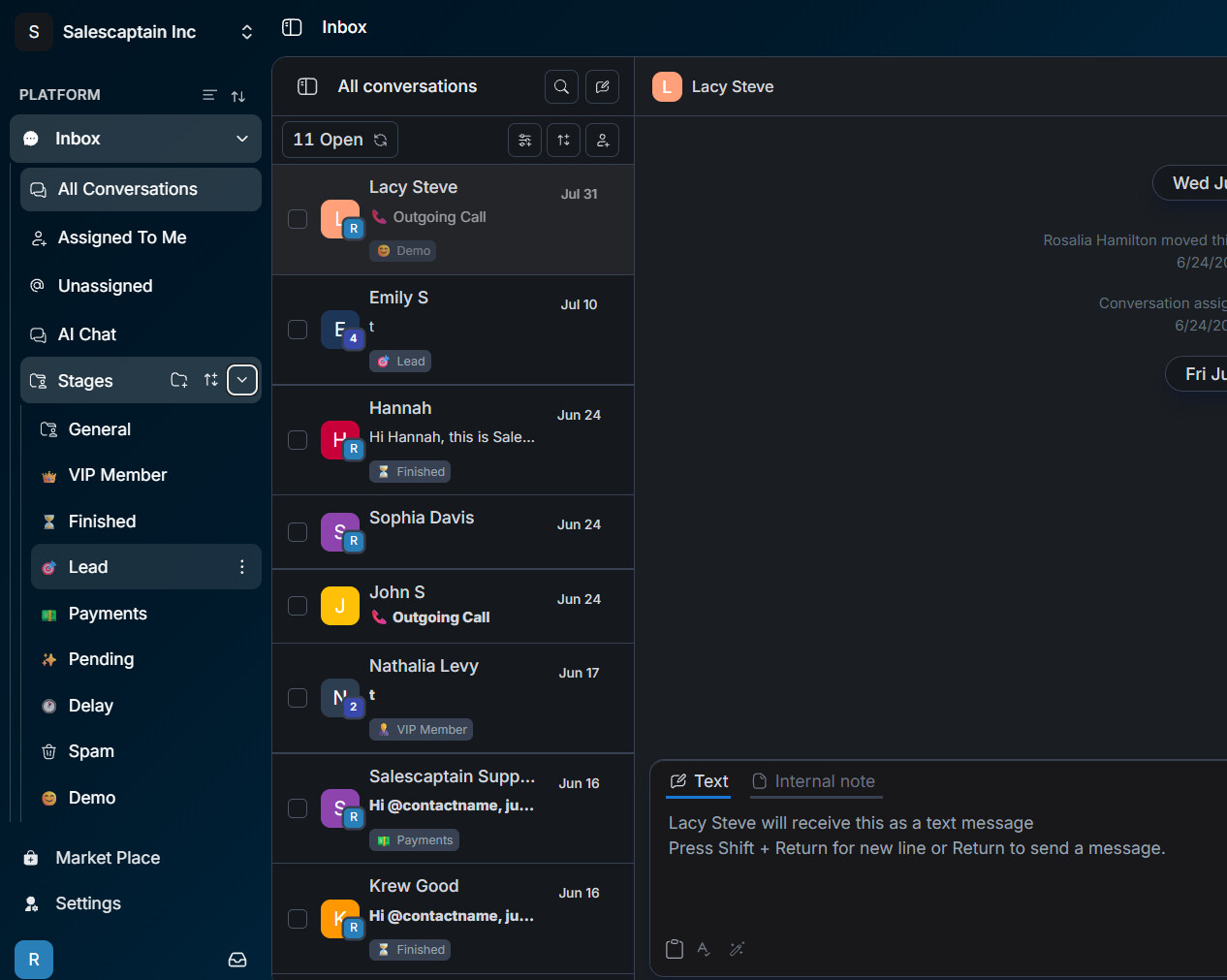
The sidebar is designed to be flexible and adjustable, allowing you to control how much space it takes up on your screen.
You can open or collapse the sidebar depending on how you want to work.
This makes it easier to use SalesCaptain on different screen sizes while keeping important navigation within reach.
Page-specific navigation
Different areas of SalesCaptain can have their own useful navigation options.
For example:
Inbox
All Conversations
Assigned to Me
Unassigned
AI Chat
Stages
Campaigns
Campaigns
Templates
Payments
Payments
Transactions
This allows each section to provide navigation that is relevant to the work you’re currently doing.
Work faster across SalesCaptain
The Adjustable Page Sidebar helps reduce unnecessary navigation and keeps frequently used areas only one click away.
You can move between Inbox, Reviews, Payments, Captain Labs, Campaigns, Tables, and other modules while maintaining a smooth workflow throughout SalesCaptain.
Note: The sidebar is designed to complement the main application navigation, giving you an additional quick-access layer without taking you away from your current page.